
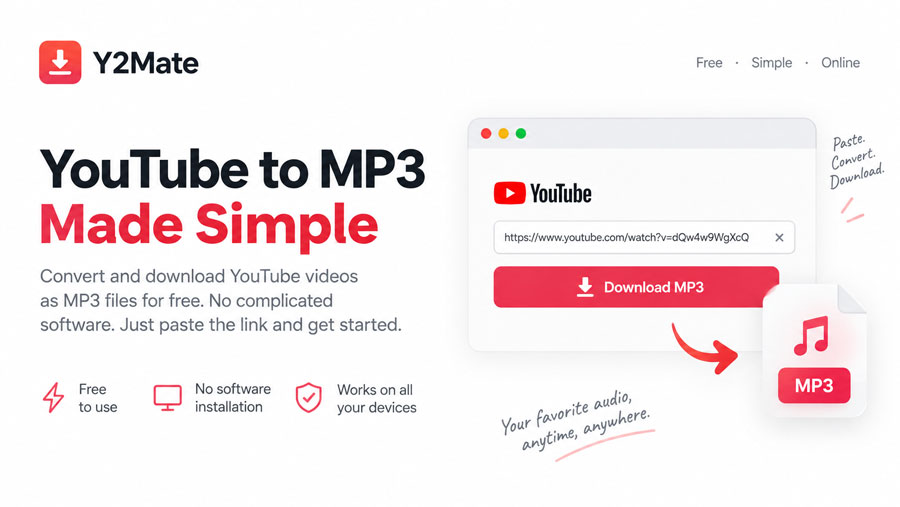
Installing a desktop converter for that one task feels unnecessary, especially when a browser-based option handles the process instead. Y2Mate provides a free online YouTube to MP3 converter that lets you work from a supported video URL without installing complicated software. We will look at how that workflow works, what Y2Mate offers beyond MP3 conversion, how it fits different devices, and what you should know about safety and copyright before downloading.
⭐ Why Choose Y2Mate for YouTube to MP3 Conversion?
A few details explain why that matters:
- No complicated software: You do not need to install and configure a separate desktop converter.
- Free online use: The conversion service does not require paid desktop software.
- URL-based conversion: The workflow starts with a supported YouTube link.
- MP3 output: You can create an audio file instead of keeping the full video.
No lengthy setup. No installation wizard asking what folder you want to use.
💻 No Desktop Converter Sitting on Your Computer
Instead of downloading an application first, you work through the browser. I find that distinction useful for people who only need conversion occasionally. Why install software that sits untouched for months?
- No desktop converter setup
- No need to configure complicated software
- Works through a familiar web interface
- Suitable for occasional conversions without adding another application to the device
Y2Mate does not replace professional conversion software when you need batch jobs, detailed codec controls, editing tools, or a larger media workflow.
⭐ Common Uses for Y2mate
- Download music for offline listening.
- Save podcasts before traveling.
- Keep educational lectures for later.
- Listen without a constant internet connection.
“We keep Y2Mate focused on speed and simplicity rather than advanced conversion controls. That means fewer settings, but a faster path from a supported YouTube URL to the file you want.”
📱 Using Y2Mate on Desktop and Mobile
Y2Mate's browser-based format supports a similar basic workflow across desktop and mobile devices.
On desktop, downloaded files usually appear in the browser's designated download folder, where you can rename or organize them.
On mobile, the process takes place through the device browser, while the exact location of downloaded files depends on the operating system and browser settings.
Alternatives to Y2Mate
- 4K Video Downloader — Desktop software for playlists, video, and audio downloads.
- ClipGrab — Installed downloader supporting multiple platforms and formats.
- OnlineVideoConverter — Browser-based conversion without software installation.
Choose desktop tools for advanced controls or batch downloads. Choose Y2Mate for quick conversions without complicated setup.
🛡️ Safety Tips for Using an Online Converter
Keep these habits in mind:
- Check the website address before entering a video URL.
- Look carefully at download buttons when advertisements or pop-ups appear.
- Avoid unfamiliar extensions, executable files, or software installers.
- Never enter passwords, payment information, or unrelated personal details.
- Close unexpected redirects instead of interacting with them.
Free does not mean you should click everything on the screen. That is a bad bargain.
⚖️ Copyright and Legal Considerations
Converting content does not transfer ownership of that content. A YouTube video remains subject to the rights of its creator or copyright holder.
A creator who publishes a copyright-protected music video on YouTube does not lose copyright simply because the video is available online. If you want to reuse the resulting MP3 in a podcast, commercial video, or public upload, separate permission or another legal basis is relevant.
Y2Mate keeps the proposition uncomplicated: free online YouTube-to-MP3 conversion without the need for complicated software installation. If all you need is a browser-based conversion from a supported video URL to an audio file, there is little reason to turn the task into a software project.
But the tool stops where responsibility begins. You still need to check what you download, how you handle the file, and whether you have the right to use the source content. That balance—simple conversion on one side, responsible use on the other—is what makes the service worth considering.
❓ A Few Things People Ask
Is Y2Mate free?
Y2Mate provides online conversion without requiring you to purchase dedicated desktop conversion software.
Does Y2Mate require software installation?
The basic browser-based workflow does not require a complicated desktop converter or separate installation.
Does Y2Mate require an app?
No. Y2Mate runs directly in a modern web browser, so you do not need to install a dedicated converter app or complicated desktop software.
What MP3 quality does Y2Mate provide?
Y2Mate currently provides MP3 files at 192 kbps. The service also supports MP4 downloads at resolutions up to 720p.
Does Y2Mate work on mobile?
You can access the browser-based service from mobile devices, while the exact download and storage process depends on the device and browser.
What happens to the downloaded MP3?
The browser saves the file according to its download settings. On mobile, you can usually manage the file through the device's file-management system.
What video resolution is available for MP4?
MP4 downloads are available at up to 720p on the current Y2Mate converter. The maximum MP4 video length is 30 minutes.
Is Y2Mate suitable for advanced video conversion?
Not necessarily. If you need detailed editing controls, batch processing, codec configuration, or professional media workflows, dedicated software offers a broader set of tools. Y2Mate is better suited to straightforward online conversion.
Is an account required?
No account, sign-up, or subscription is required to use Y2Mate's converter. You simply enter a supported YouTube URL and select the desired output format.
Which browsers support Y2Mate?
Y2Mate works with modern browsers, including Chrome, Firefox, Edge, Opera, and Safari.